
.png)
Welcome to my World of Innovation! Immerse yourself in a captivating journey through my exceptional portfolio of Windows and web-based applications, where creativity and technology unite. Explore my transformative resume, engage on social media, delve into insightful blog posts, and uncover the essence of who I am on the "about me" page. Together, let's shape the future with boundless innovation. Welcome to a world where technology, artistry, and the extraordinary collide.

This JavaScript adds dynamic filtering and interaction to a model-driven Power App form. Lookup fields are filtered so that selecting a Plant limits available Product Lines, and selecting a Product Line limits available Jobs. It also adds live subgrid monitoring—when a user clicks a different row, a pop-up dialog instantly displays that record’s Plant, Product Line, and Job details. Note: in the clip, “Job” appears blank due to a test field naming mismatch (“Job” vs “Job1”).
function filterProductLineLookup(executionContext) {
    var formContext = executionContext.getFormContext();

    // Get the Plant field value (text or number field)
    var plantField = formContext.getAttribute("new_plant");
    if (!plantField || !plantField.getValue()) {
        console.warn("Plant field is empty or not initialized.");
        return; // Exit if the Plant field is null
    }
    var plantValue = plantField.getValue(); // Value of the selected Plant

    // Get the Product Line field control
    var productLineField = formContext.getControl("new_productline");
    if (!productLineField) {
        console.error("Product Line field is not found on the form.");
        return; // Exit if the Product Line field is missing
    }

    // Apply a pre-search filter dynamically based on the Plant field
    productLineField.addPreSearch(function () {
        var filter = `<filter type='and'>
                        <condition attribute='new_plant' operator='eq' value='${plantValue}' />
                      </filter>`;
        console.log("Filter applied to Product Line: " + filter);
        productLineField.addCustomFilter(filter);
    });
}

function filterJobLookup(executionContext) {
    var formContext = executionContext.getFormContext();

    // Get the Product Line field value (text or number field)
    var productLineField = formContext.getAttribute("new_productline");
    if (!productLineField || !productLineField.getValue()) {
        console.warn("Product Line field is empty or not initialized.");
        return; // Exit if the Product Line field is null
    }
    var productLineValue = productLineField.getValue(); // Value of the selected Product Line

    // Get the Job field control (lookup field)
    var jobField = formContext.getControl("new_job");
    if (!jobField) {
        console.error("Job field is not found on the form.");
        return; // Exit if the Job field is missing
    }

    // Apply a pre-search filter dynamically based on the Product Line field
    jobField.addPreSearch(function () {
        var filter = `<filter type='and'>
                        <condition attribute='new_productline' operator='eq' value='${productLineValue}' />
                      </filter>`;
        console.log("Filter applied to Job: " + filter);
        jobField.addCustomFilter(filter);
    });
}let subGridTimer = null; // Timer to monitor the sub-grid selection
let lastSelectedRowId = null; // To store the ID of the last selected row
function onFormLoad(executionContext) {
const formContext = executionContext.getFormContext();
// Access the sub-grid control
const subGrid = formContext.getControl("Subgrid_new_1"); // Replace with the actual name of your sub-grid
if (!subGrid) {
console.error("Sub-grid not found on the form.");
return;
}
// Start monitoring the sub-grid for row selection changes
subGrid.addOnLoad(function () {
monitorSubGridSelection(subGrid);
});
}
function monitorSubGridSelection(subGrid) {
// Clear any existing timer
if (subGridTimer) {
clearInterval(subGridTimer);
}
// Start a timer to monitor the sub-grid selection changes
subGridTimer = setInterval(function () {
const grid = subGrid.getGrid();
if (!grid) {
console.error("Grid data is not available.");
return;
}
// Get selected rows
const selectedRows = grid.getSelectedRows();
if (selectedRows.getLength() === 0) {
lastSelectedRowId = null; // Reset if no rows are selected
return;
}
// Get the first selected row
const selectedRow = selectedRows.get(0);
const entityId = selectedRow.getData().getEntity().getId();
// Check if the selected row has changed
if (entityId !== lastSelectedRowId) {
lastSelectedRowId = entityId; // Update the last selected row ID
displayRowDetails(selectedRow.getData().getEntity());
}
}, 500); // Poll every 500ms
}
function displayRowDetails(entity) {
// Retrieve values from the row's entity
const plantValue = entity.attributes.getByName("new_plant")?.getValue(); // Logical name for the Plant field
const productLineValue = entity.attributes.getByName("new_productline")?.getValue(); // Logical name for Product Line
const jobValue = entity.attributes.getByName("new_job")?.getValue(); // Logical name for Job
// Format and display the values in an alert dialog
const message = `Selected Row Details:
Plant: ${plantValue || "Not available"}
Product Line: ${productLineValue || "Not available"}
Job: ${jobValue ? jobValue[0].name : "Not available"}`; // For lookup fields, use the name
Xrm.Utility.alertDialog(message);
}
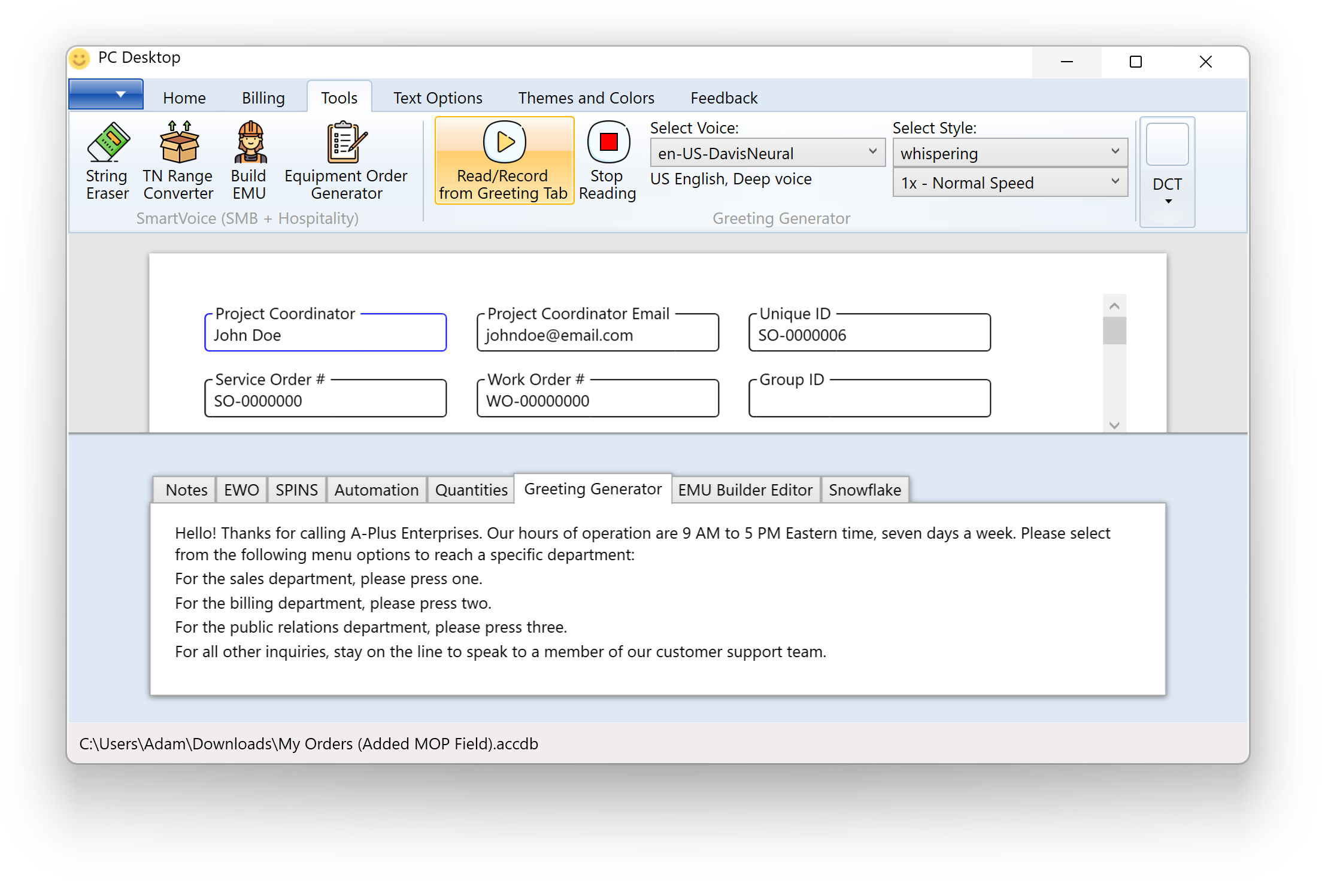
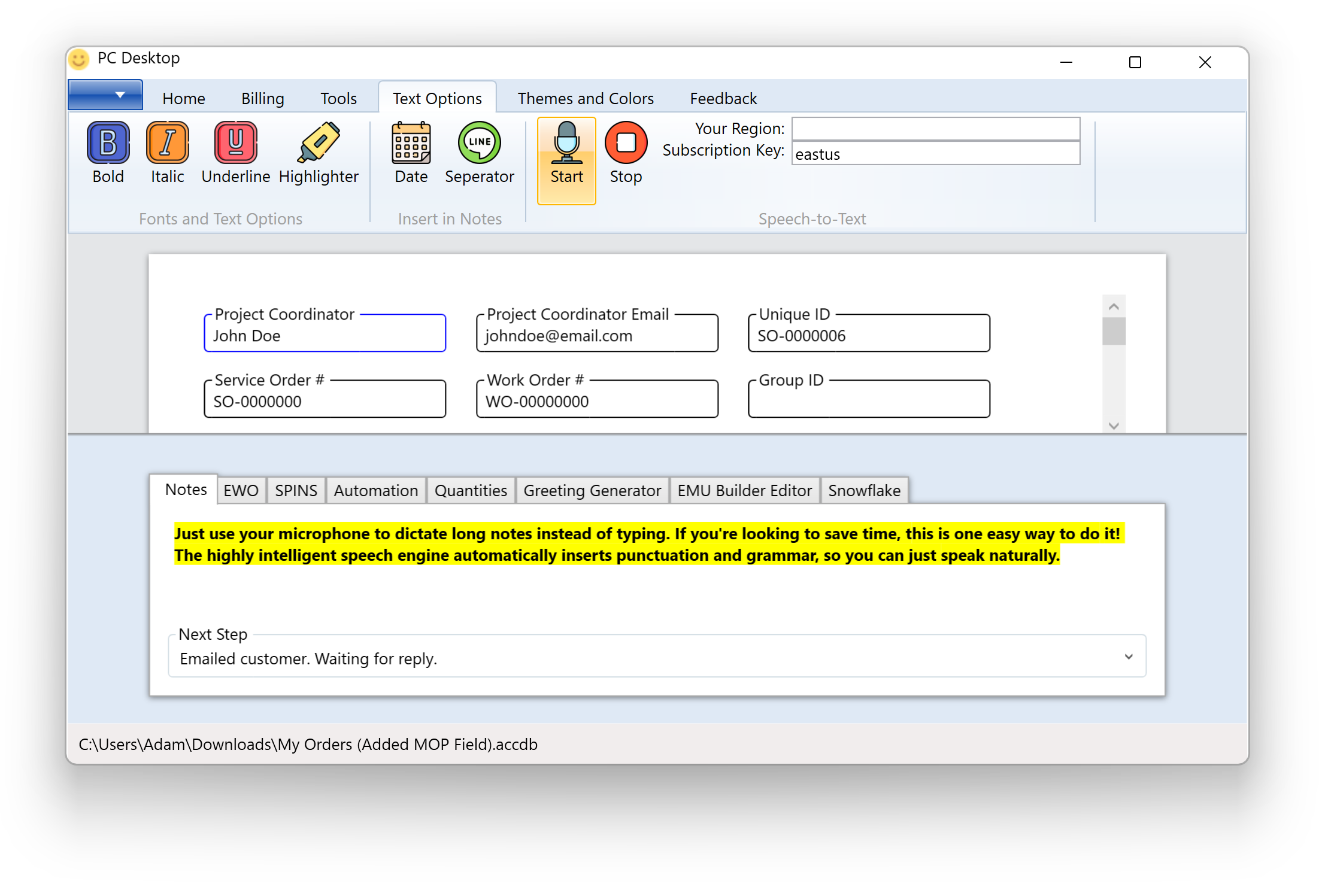
This cutting-edge Microsoft Windows software suite revolutionizes project management by automating numerous tasks for Project Managers. It seamlessly integrates with Snowflake, enabling automated SQL Queries without requiring the user to possess expertise in SQL (Structured Query Language). Furthermore, it effortlessly connects with SalesForce via the SalesForce API. Additionally, it harnesses the power of Microsoft Azure's Speech engine, empowering users to effortlessly dictate notes using their microphone instead of traditional typing. Moreover, it provides impeccable text-to-speech conversion utilizing high-quality neural voices through Microsoft's speech engine. Users can choose from a variety of voices and voice styles, including whispering, shouting, and more. The application also facilitates the saving of speech recordings as MP3 files.
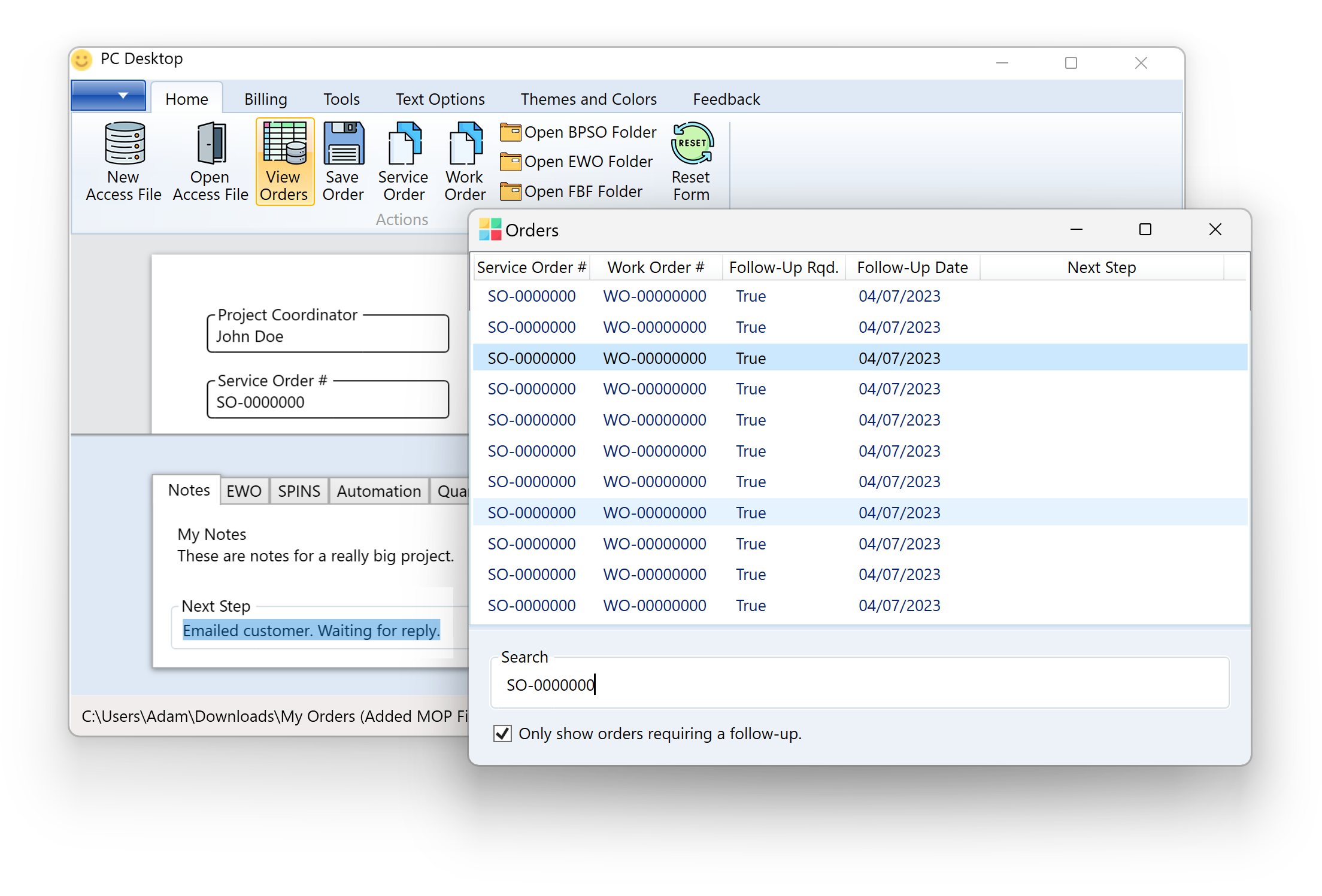 Apart from these remarkable features, it boasts an array of built-in tools, such as a credit calculator and an Early Cancellation Fee Calculator. This application is a time-saving powerhouse, capable of auto-populating complex Excel documents and swiftly extracting data from PDF files via a simple drag and drop functionality.
Developed using the Microsoft .Net Framework and Windows Presentation Foundation (WPF), this application showcases a visually stunning, modern, and intuitive user interface. With its sleek design featuring rounded corners, drop-shadows, and other aesthetic elements, it provides a delightful user experience.
Let's get in touch and talk about your next project.